
Ranking Monitoring in Seobility: How it works + FAQs
Seobility’s Rankings section helps you track your website’s Google rankings, measure your SEO success, and stay on top of changes in classic and AI-driven search results.
In this guide, you’ll learn:
- How Ranking Monitoring works
- How visibility is calculated
- What each tab in the dashboard shows
- How to track your positions in AI Overviews
- How to export your ranking reports
What can I do with Seobility’s Ranking Monitoring?
Seobility’s Ranking Monitoring tracks your website’s positions in Google for the keywords you choose.
Instead of manually checking rankings every day, Seobility automatically monitors them for you. This allows you to:
- See whether your SEO efforts are working
- Detect ranking drops early
- Identify high-performing pages
- Compare your performance with competitors
- Find optimization opportunities
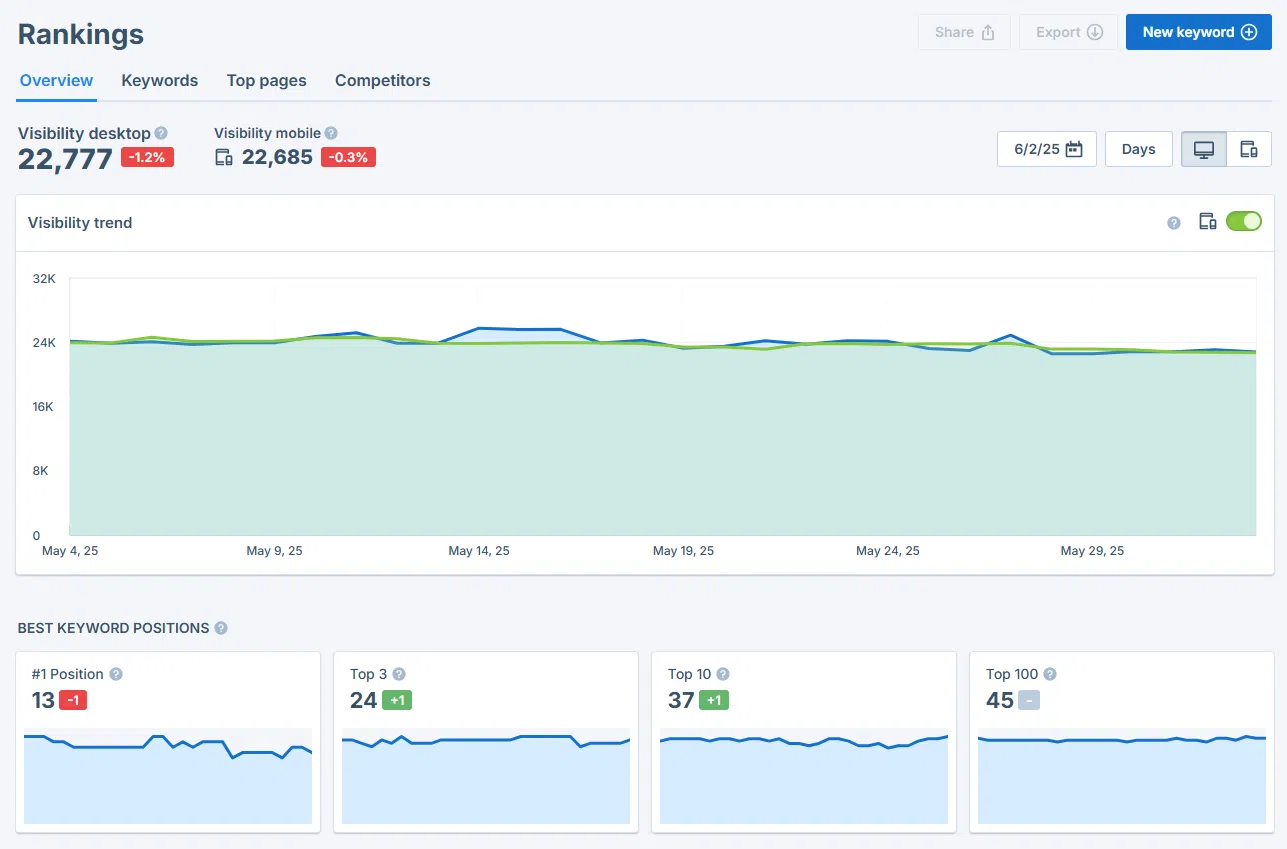
Getting started: Add your keywords
Before you can track rankings, you need to add keywords to your project.
Click “Add new keywords”:
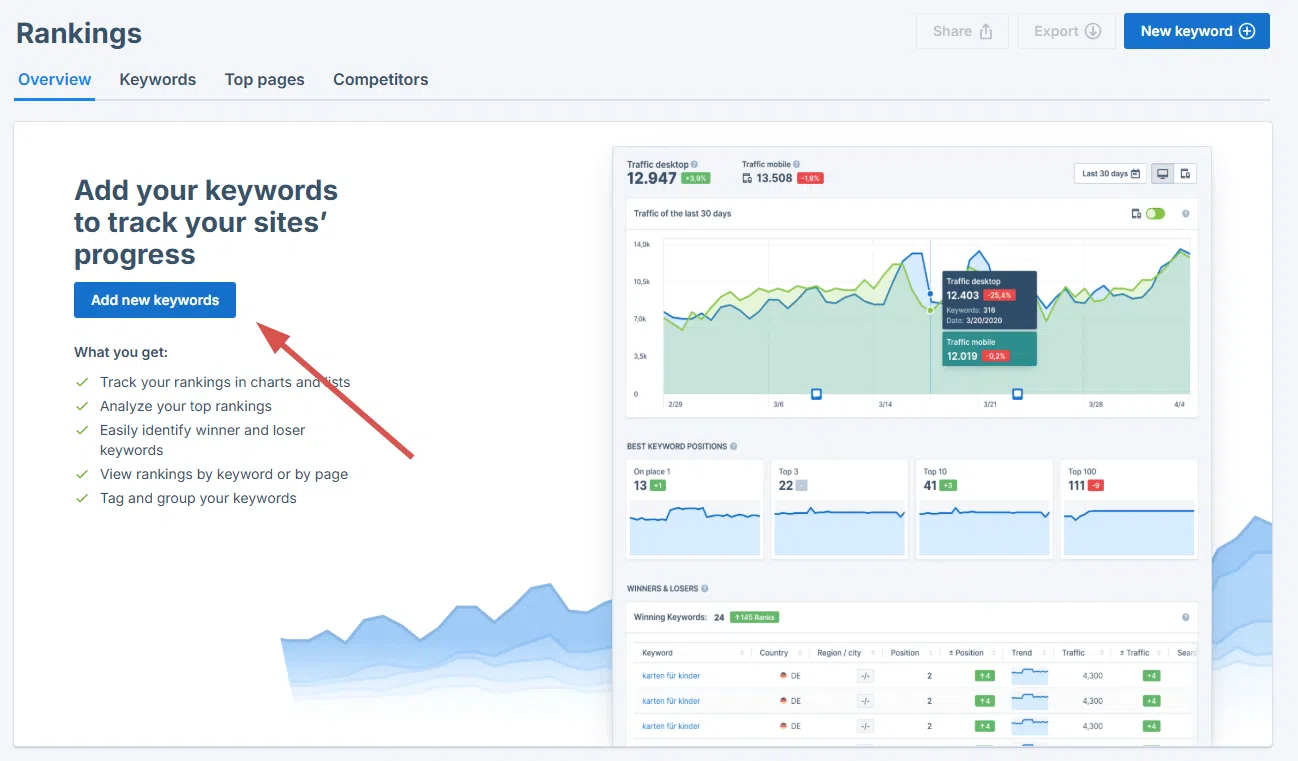
Then choose one of the following options:
- Manual entry: Add keywords individually
- CSV import: Upload a prepared keyword list
- Suggested keywords: Use Seobility’s recommendations
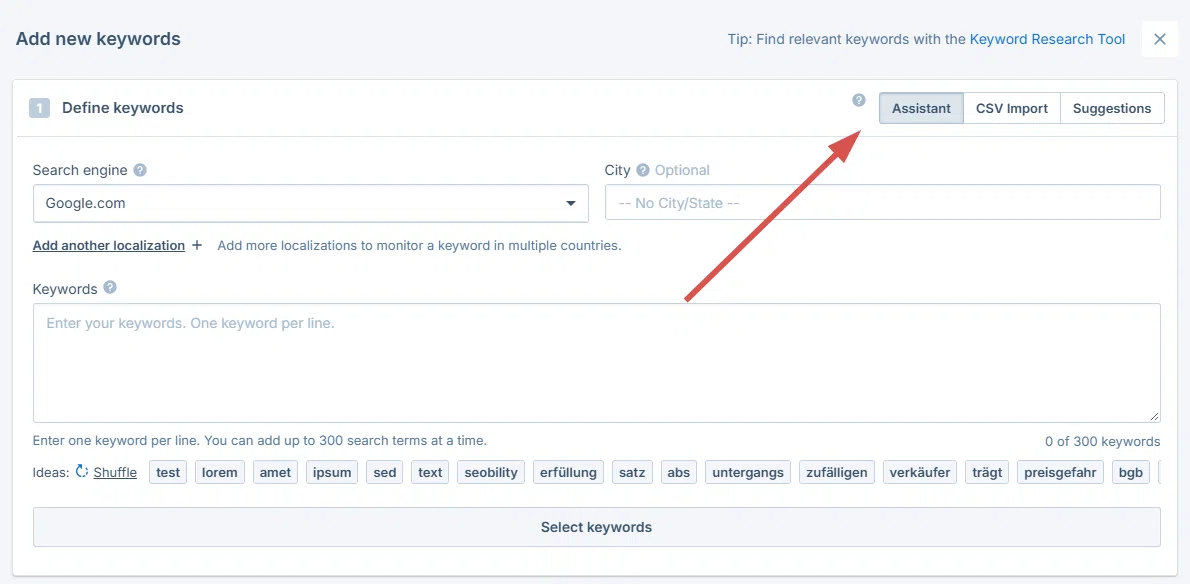
Tip: You can also use Seobility’s Keyword Research Tool to find relevant keywords.
You can also define:
- The country where you want to track rankings, e.g., “Google.com” for the US or “Google.fr” for France
- Optional city-level localization (available in paid plans) if you’d additionally like to monitor your rankings for specific cities or regions
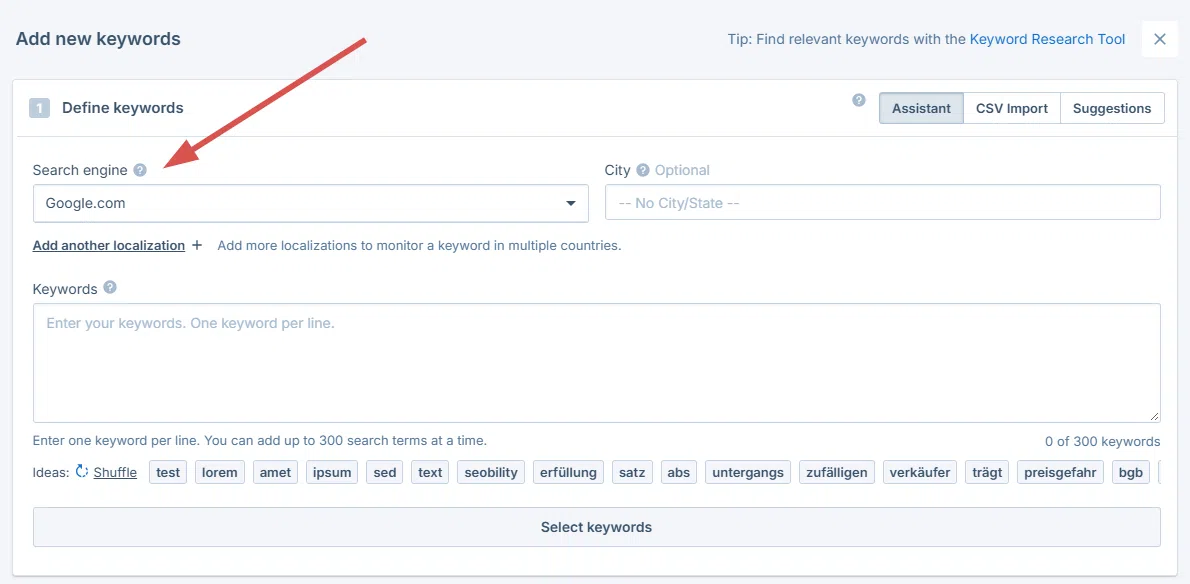
Once saved, Seobility starts monitoring your rankings automatically.
The Ranking Monitoring Dashboard explained
The Ranking Monitoring section is divided into four main tabs:
- Overview
- Keywords
- Top pages
- Competitors
Let’s go through them one by one.
1. Overview
The Overview tab gives you a quick summary of your overall SEO performance. It is perfect for a quick daily check of how your website is doing on Google.
Visibility trend
At the top, you’ll see a graph showing your visibility trend over time.
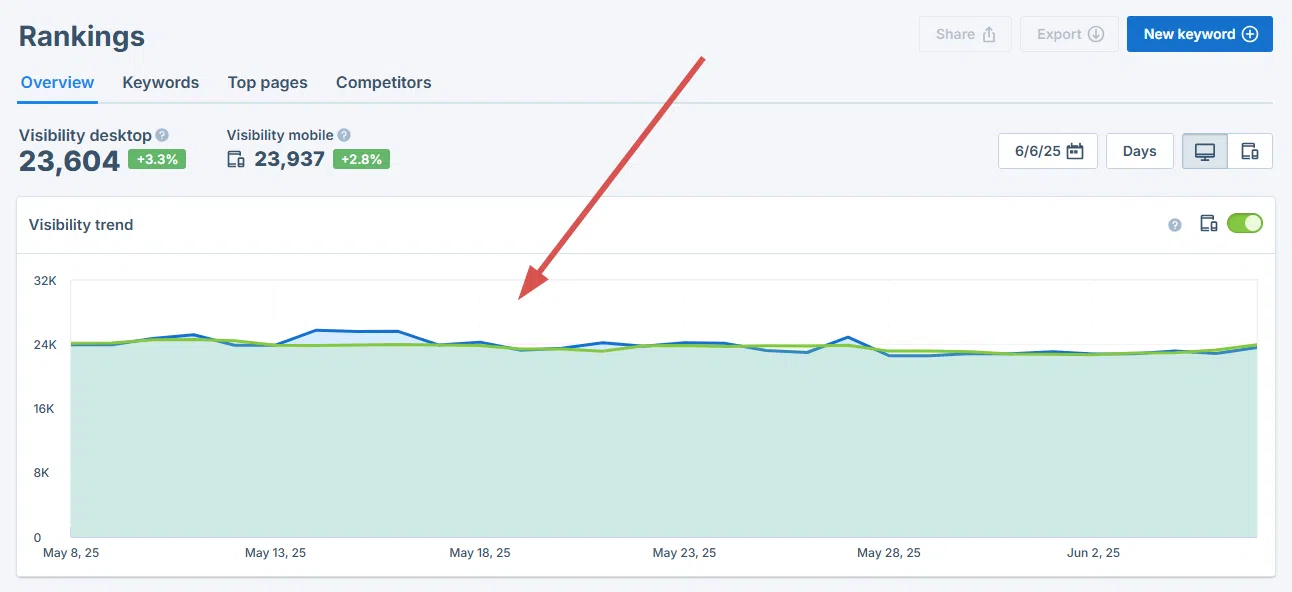
What is visibility?
“Visibility” is an estimate of the monthly organic traffic your website generates from your monitored keywords.
It is calculated based on:
- Your ranking position for each keyword
- The monthly search volume of each keyword
In simple terms:
Higher rankings + higher search volume = higher visibility
How visibility is calculated
To ensure realistic and stable reporting:
- Only rankings within pages 1 and 2 of Google’s search results are included in the visibility calculation.
- Positions from page 3 onwards are excluded, as users rarely click that far, and these rankings usually contribute very little traffic.
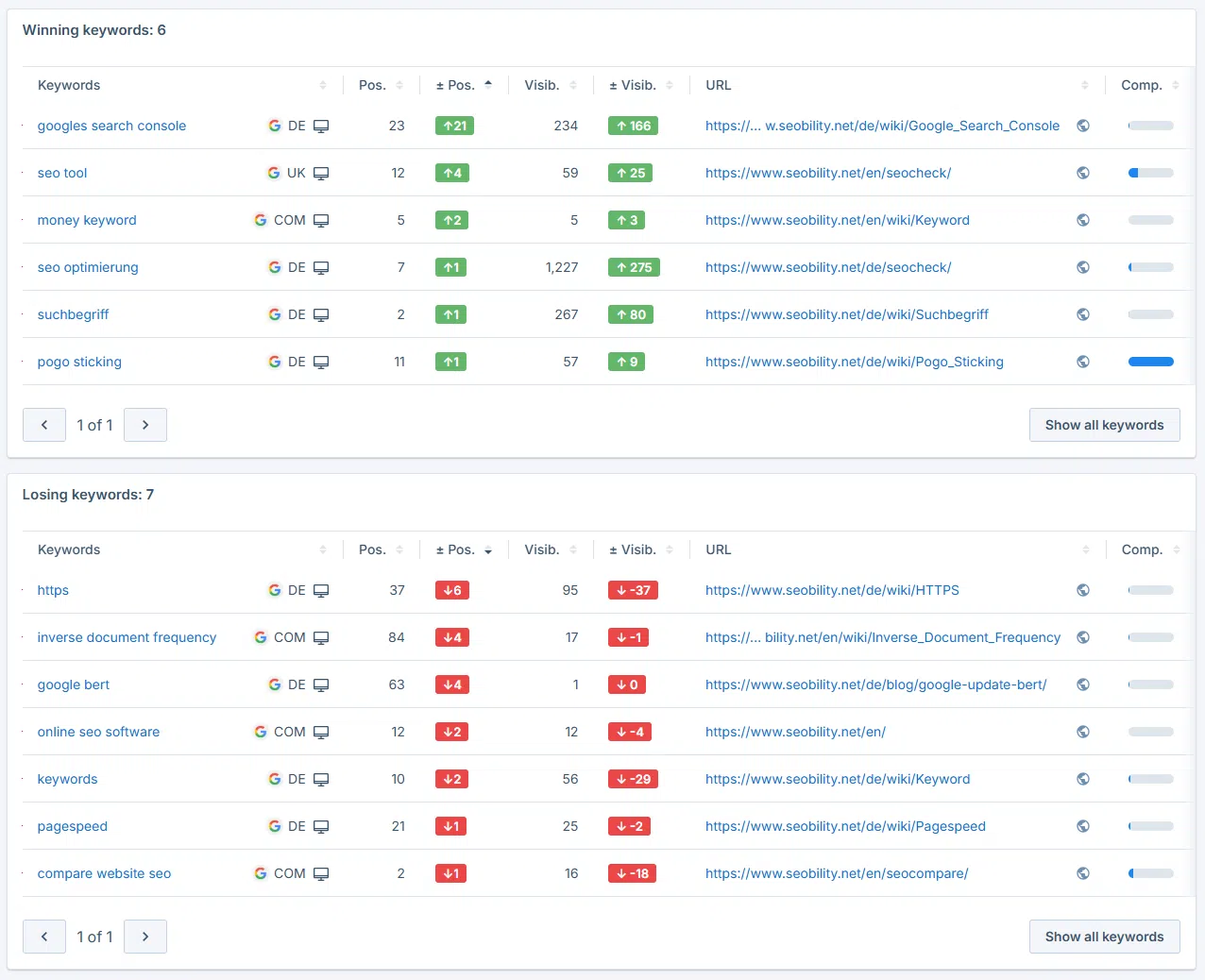
Winning & losing keywords
This section shows which keywords have:
- Improved in ranking
- Dropped in ranking
It allows you to quickly identify where action may be needed.
Top pages preview
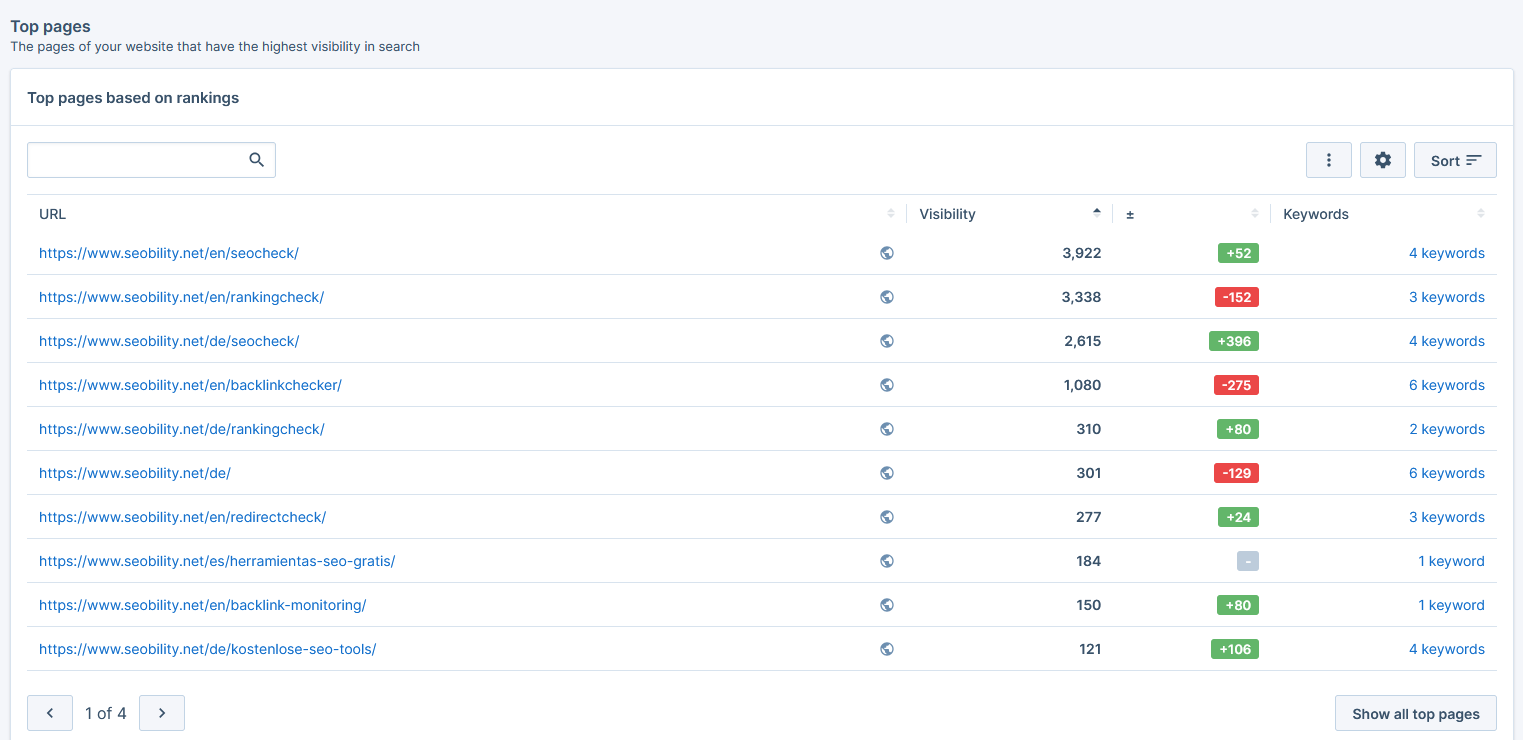
At the bottom of the Overview tab, you’ll find your top-performing pages based on visibility. These are the pages generating the most estimated traffic from your monitored keywords.
2. Keywords
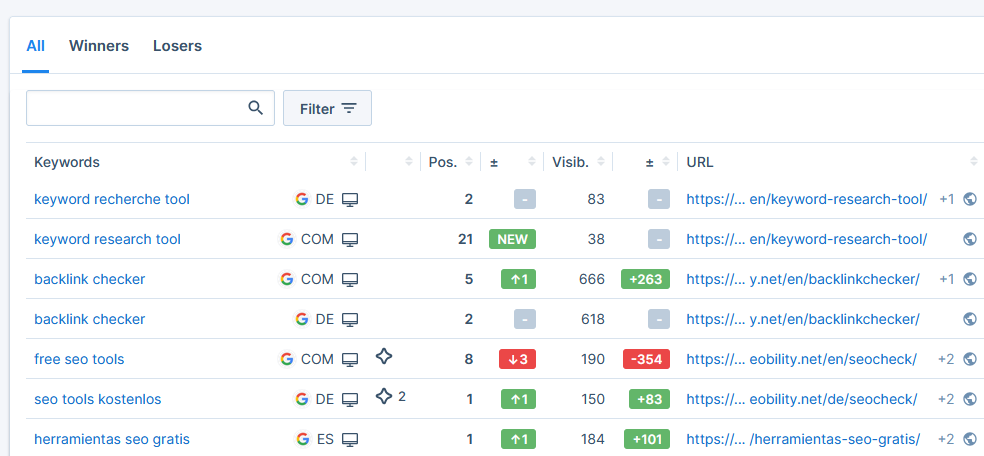
The Keywords tab shows the complete list of your monitored keywords. It is perfect for analyzing each keyword’s performance in detail.
For each keyword, you can see:
- Current ranking position
- If Google displays an AI Overview for your keyword (more on this below)
- Ranking changes
- How much visibility this keyword contributes
- Search volume
- Search intent
- Competition level
- The URL(s) of your website ranking for this keyword
You can:
- Filter and sort keywords
- Add tags to organize them
- Customize which columns are displayed
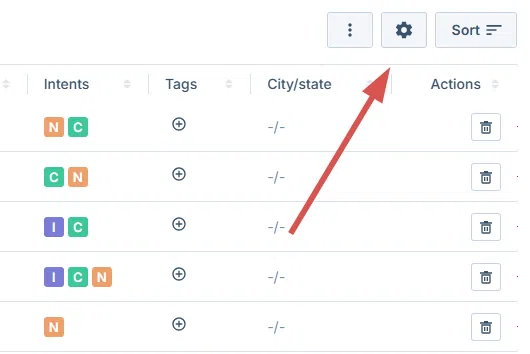
This makes it easy to focus on what matters most in your SEO strategy or to analyze specific keyword clusters.
Daily ranking updates
For every tracked keyword, Seobility checks your rankings daily within the first two pages of Google’s search results (if you’re on a paid plan).
This ensures:
- Daily tracking of important ranking changes
- Reliable data about your SEO performance
If you’re on the free Basic plan, these positions are updated weekly.
Rankings outside Google's first two pages (Top 100 snapshots)
In addition to daily tracking of Google’s first two results pages, Seobility provides visibility into your rankings up to position 100 through periodic snapshots.
This allows you to:
- Discover optimization opportunities past Google page 2
- Identify new competitors
- Monitor long-term ranking growth
How it works
We periodically store a snapshot of Google’s Top 100 search results for your keywords.
- Paid plans: snapshot every 2 weeks
- Free plans: snapshot once per month
This means:
- Positions from page 3 onwards are not updated daily
- They are refreshed with each new snapshot
Keyword details view
When you click on a keyword, you get deeper insights for that particular keyword, including:
- Ranking trend over time
- AI Overview information (more on this below)
- Top 100 ranking results (snapshot data)
- and more
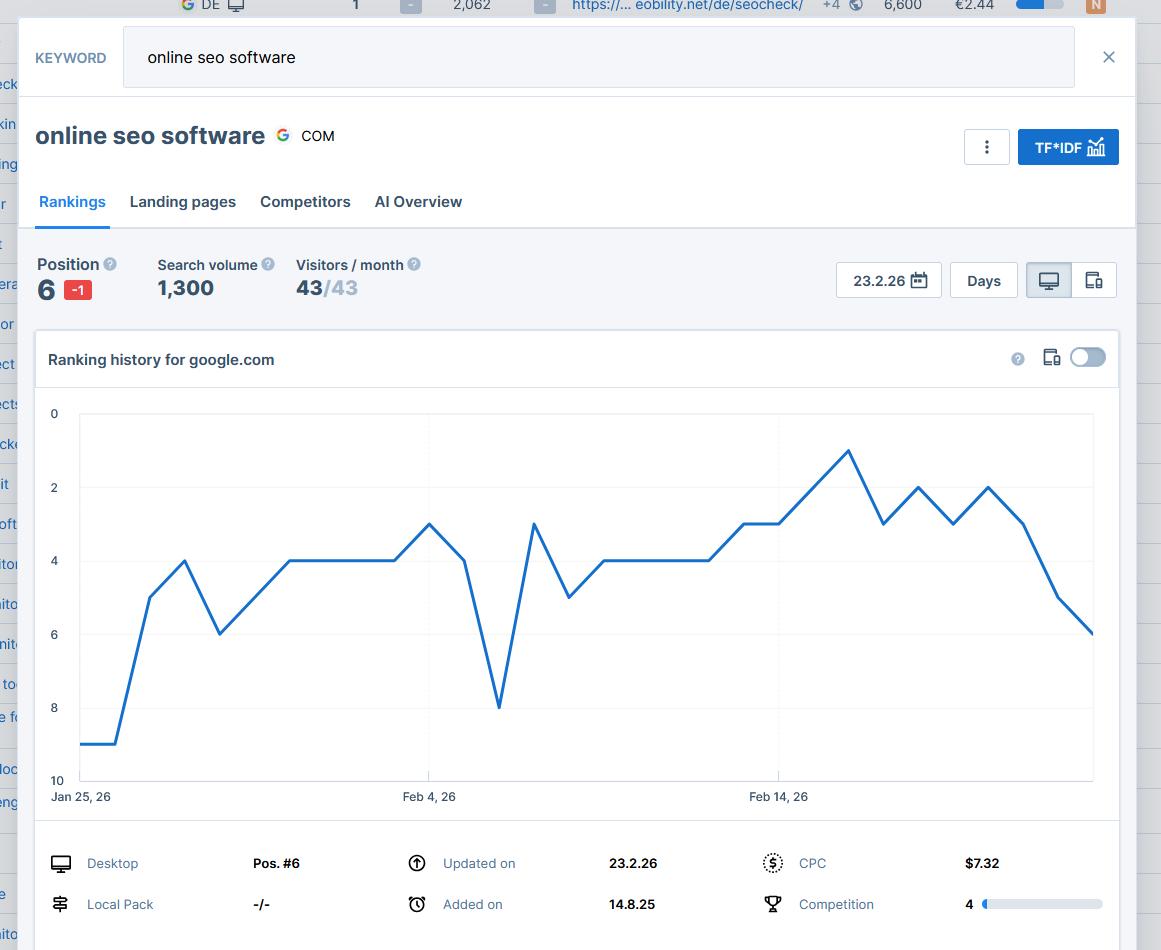
This allows you to zoom in on a particular keyword and see how its ranking has developed over time, which other pages Google ranks for it, and much more.
In addition to classic ranking data, this view also contains valuable insights about how your website performs in AI-powered search results.
AI Overview Tracking
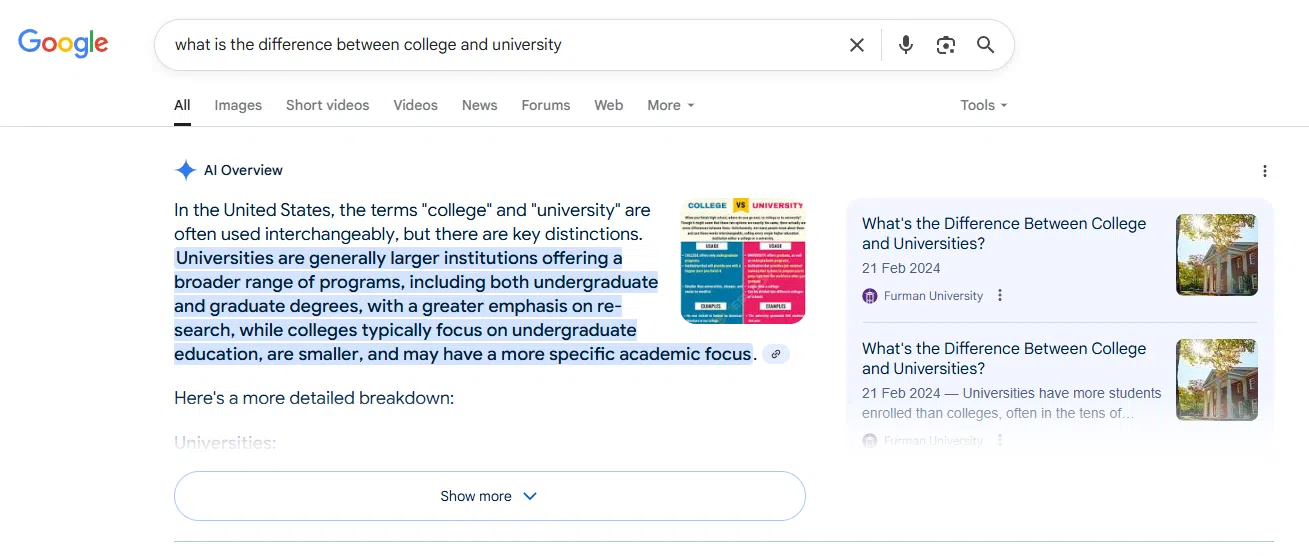
Google’s AI-powered search results (AI Overviews) are changing how users interact with search results.
Instead of only showing classic blue links, Google may display an AI-generated answer at the top of the search results.
These AI Overviews:
- Summarize information from multiple sources
- Link to selected websites as references
- Often appear above organic search results
What does Seobility track?
Within the Keywords tab, Seobility shows:
- Whether an AI Overview appears for a keyword
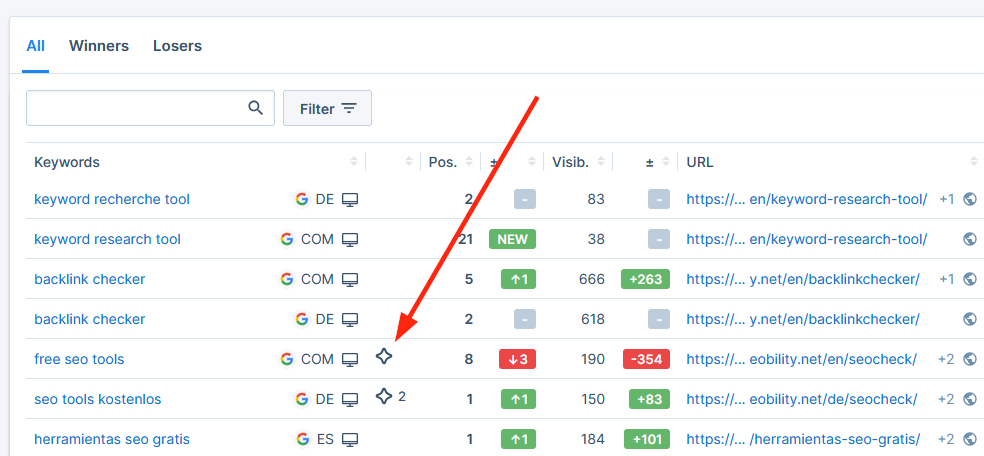
- Whether your website is cited in the AI Overview (indicated by the number next to the star icon)
This helps you quickly identify:
- Keywords affected by AI search results
- Opportunities to increase your AI visibility
You can click on the icon to get more details. This will take you to the “AI Overviews” tab in the keyword details view, where you’ll find a complete preview of the AI Overview text and a list of cited sources:
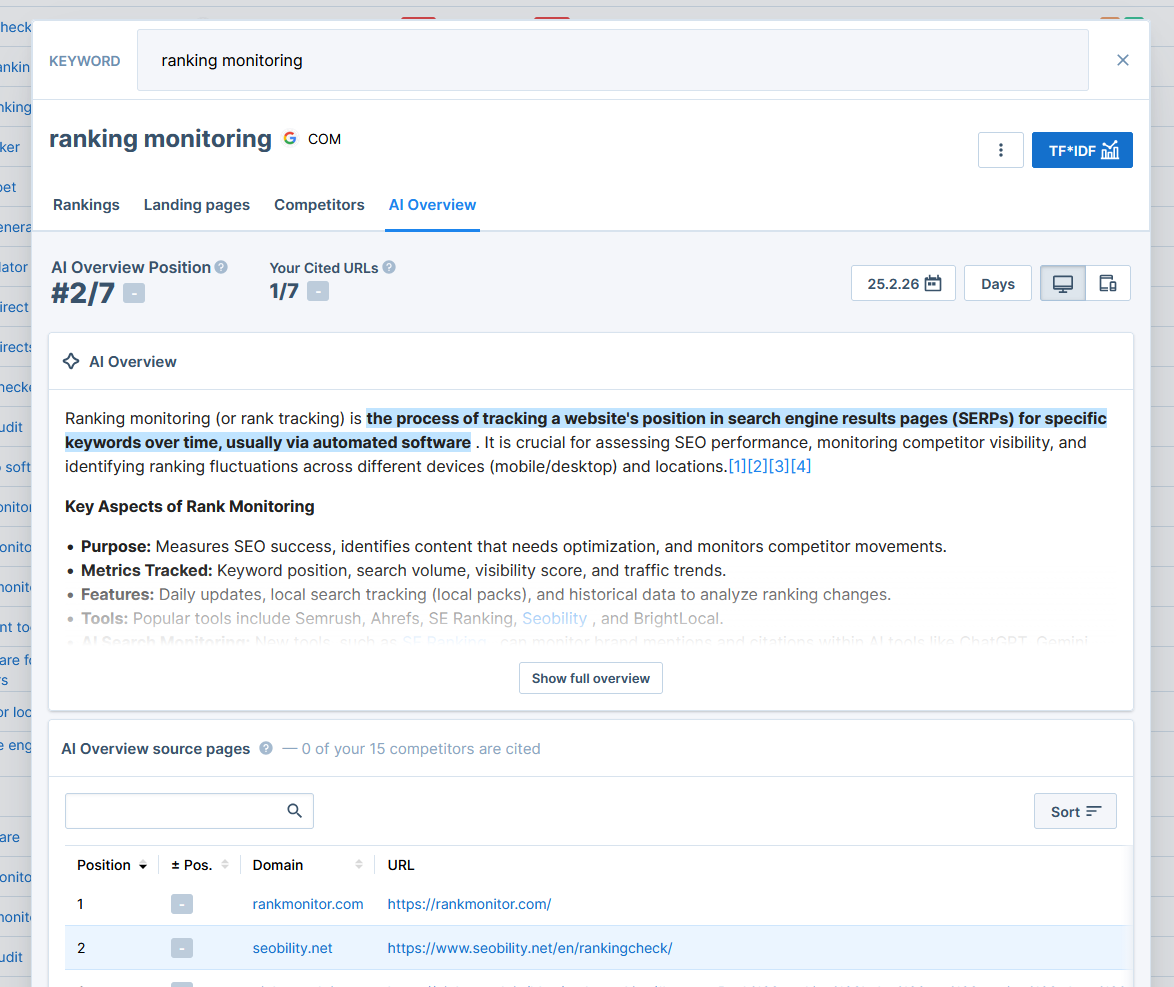
You can find more details about this feature in our help article on AI Overview Tracking.
Do AI Overviews influence visibility?
Currently:
- AI Overview citations are not included in the visibility calculation.
- Visibility is based on classic organic rankings (Google pages 1 and 2) and search volume.
Seobility’s AI Overview Tracking simply provides an additional layer of insight as AI-driven search continues to grow.
3. Top Pages
The Top Pages tab shows which pages on your website perform best in search results.
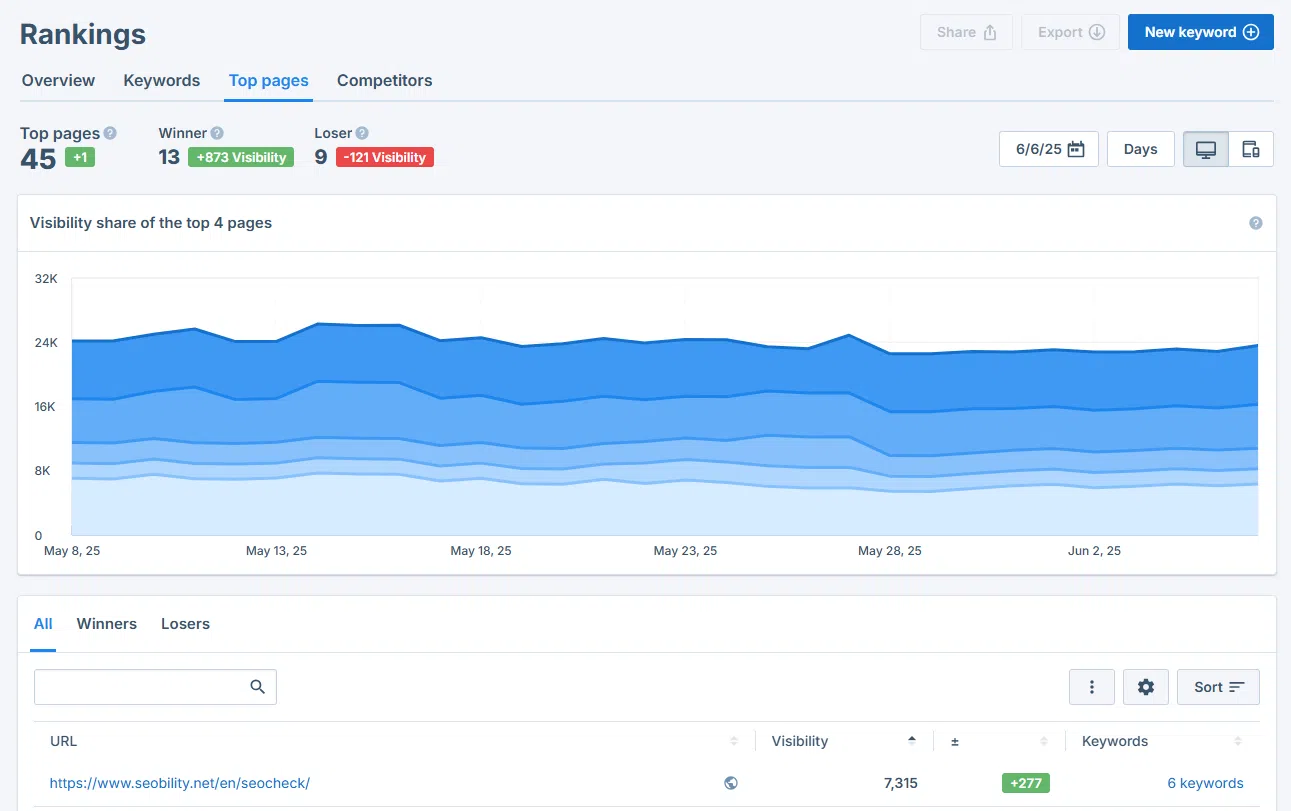
For each page, you’ll see:
- Total visibility
- Visibility changes
- Number of keywords this page ranks for
This helps you:
- Identify your most valuable SEO pages
- Prioritize important content
- Detect pages losing visibility
If a page experiences a downward trend, it may need optimization or a technical review.
4. Competitors
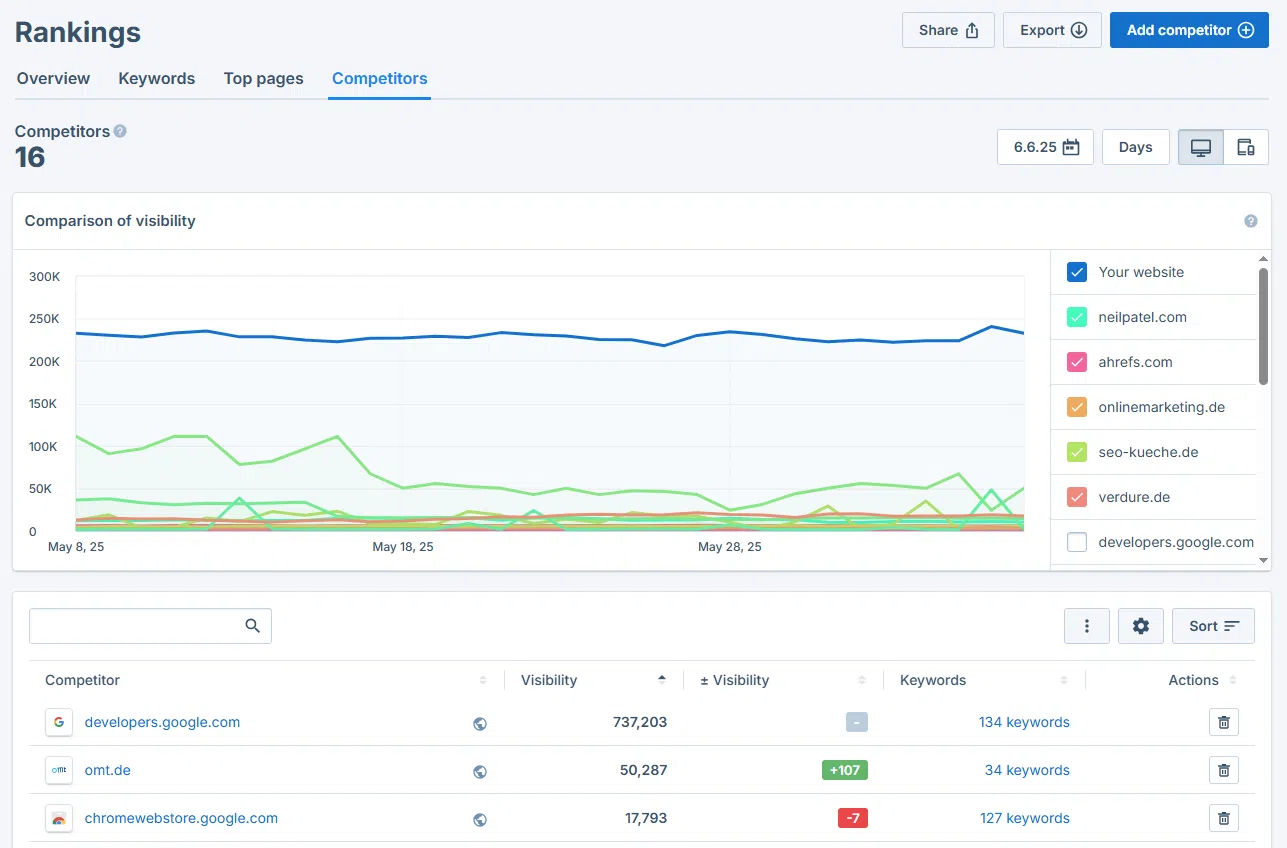
The Competitors tab allows you to compare your performance with other websites to see how you stack up against your competitors and what they might be doing differently. It helps you better understand your position in the market and refine your SEO strategy.
After adding competitor domains, you can:
- Compare your overall visibility and how it develops over time with theirs
- Compare rankings for each tracked keyword
- Find keyword opportunities based on what works well for your competitors
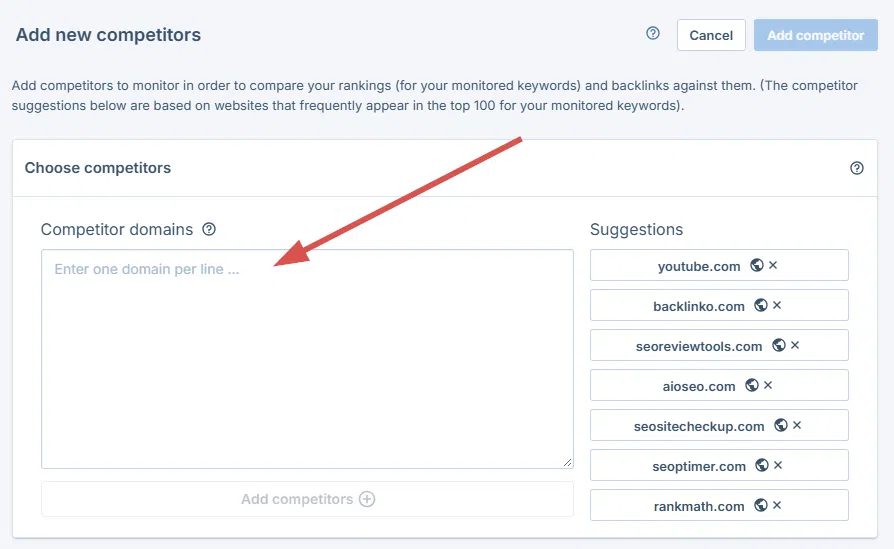
You can add or remove competitors at any time (limits depend on your plan). To add them, simply click “Add Competitors” and enter your competitors’ domain names:
Exporting ranking reports (paid plans only)
Seobility’s white-label ranking reports make it easy to share your SEO progress with clients or colleagues. Just click “Export” at the top, upload your logo, and select the report you want to download.
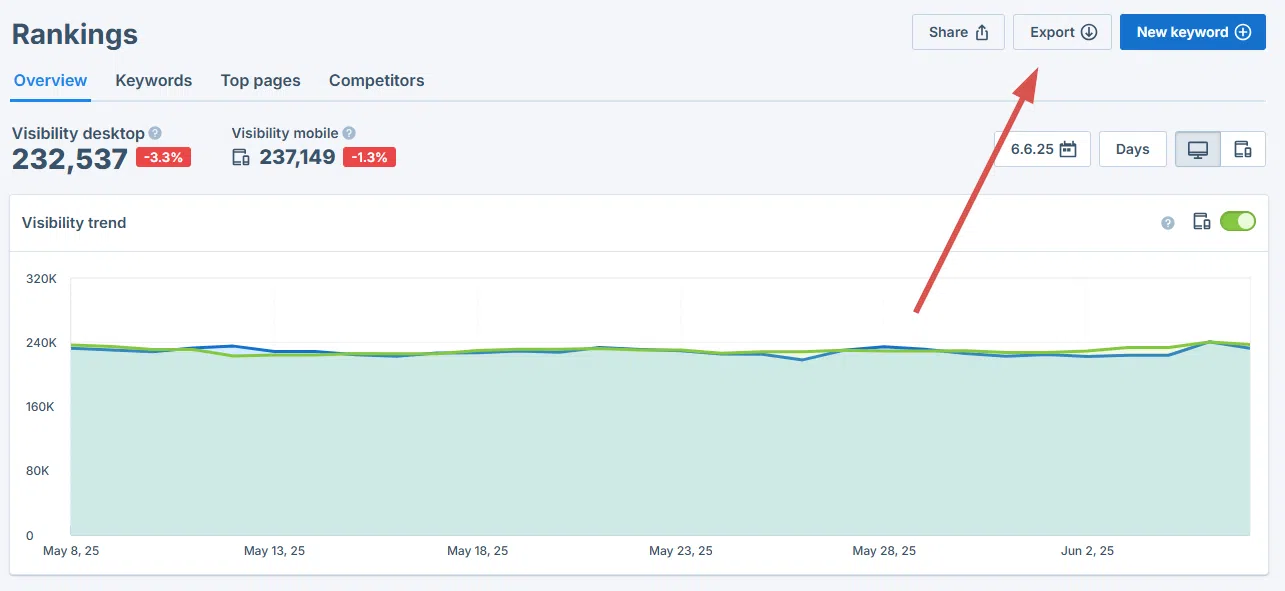
And you’re done! Seobility will generate a professional PDF report that showcases your SEO achievements.
Frequently Asked Questions
How often are rankings updated?
Rankings on the first two pages of Google’s search results are updated daily in paid plans and weekly in the free plan. In addition, Seobility provides a snapshot of all Google results pages (top 100) every two weeks (paid plans) or every month (free plan).
Why don’t I see historical data?
Historical data becomes available starting the day after you begin tracking keywords. Past rankings cannot be generated retroactively.
Why is my visibility different from my actual traffic?
Visibility is an estimate based on ranking positions and search volume. Actual traffic depends on additional factors such as:
- Click-through rate (how many users actually click your search result)
- SERP features, such as AI Overviews
- Seasonality
- Brand recognition
Why does my ranking in Seobility differ from what I see in Google?
It’s completely normal that the ranking shown in Seobility differs from what you see when you search manually in Google. This is because Google personalizes search results based on many factors, such as:
- Your location
- Your search history
- Your browser and device
- Your Google account activity
When you search in your own browser, Google may show results tailored specifically to you.
Seobility, on the other hand, retrieves rankings in a neutral and standardized way. We aim to measure the most objective ranking possible, i.e., without personalization, browsing history, or individual user signals. This ensures consistent and comparable ranking data over time.
Why are rankings outside Google’s page 1 and 2 not included in visibility?
Positions beyond the first two pages of Google’s results typically generate very little traffic. Including them would distort the traffic estimation.
Can I track rankings in multiple countries?
Yes. You can add multiple localizations within your project.
Why are my competitors ranking higher on Google, even though my website seems better optimized?
Google rankings are influenced by many different factors, not just on-page optimization. Even if your technical setup and meta data look better, competitors may still rank higher because of:
- A stronger backlink profile
- Higher-quality or more in-depth content
- Better alignment with search intent
- Better user engagement signals
If you’d like a deeper explanation of why competitors might outrank you and what you can do about it, we’ve covered this in detail in our blog article: Why are my competitors ranking higher on Google?